How to install MagSafe ring?
How to install MagSafe ring?
Wireless charging can be frustrating when your device and charger don’t align properly. Installing a MagSafe ring solves this by ensuring perfect connection and charging efficiency.
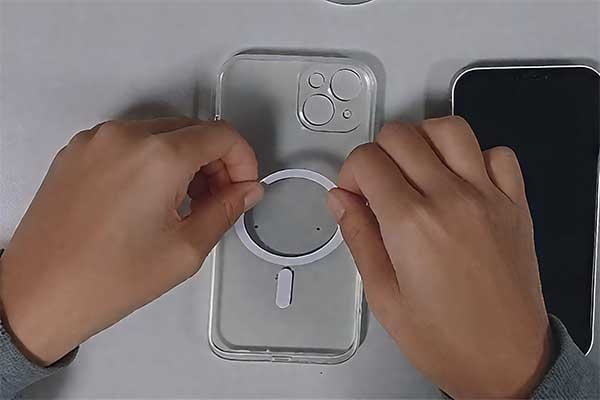
A MagSafe ring is installed by cleaning the phone or case surface, finding the exact center or charging coil location, and firmly attaching the ring with adhesive. Proper alignment is crucial to avoid heat buildup and ensure fast wireless charging.
Keep reading to learn more about how MagSafe rings work and their role in wireless charging.
Table of Contents
What is a MagSafe Ring?
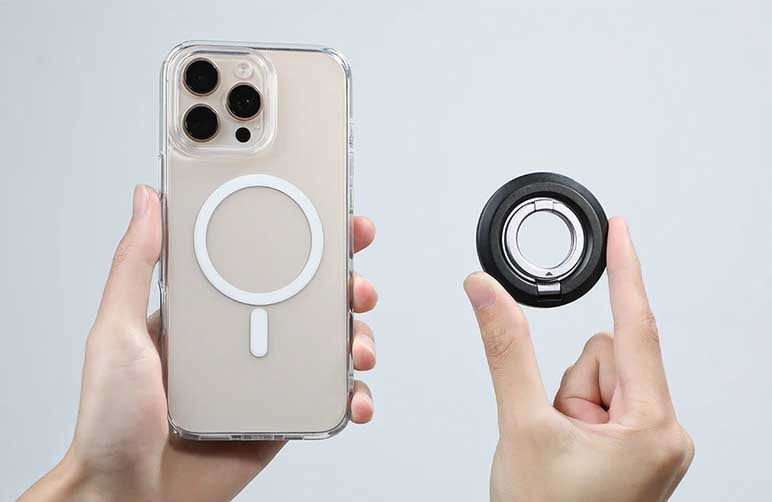
Wireless charging often faces alignment issues. This problem causes slow charging or device overheating. The MagSafe ring solves this by using a strong neodymium magnet ring that perfectly aligns the charger and phone.
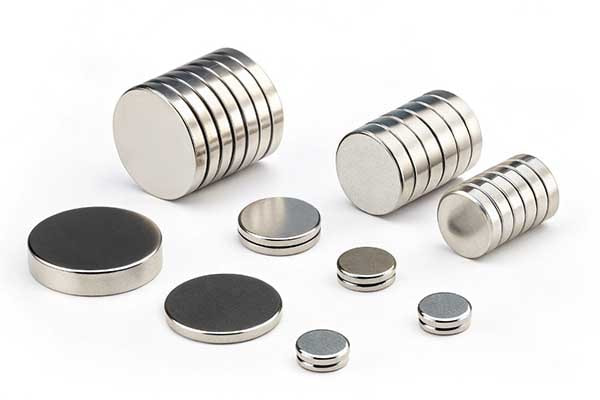
A MagSafe ring is a special magnetic ring embedded in phone accessories or chargers. It uses powerful neodymium magnets to snap accessories onto phones securely, improving charging efficiency and accessory stability. Unlike simple neodymium magnets, it is designed specifically for MagSafe-compatible devices.
The MagSafe ring’s design balances strength and thickness. It is thicker than normal magnets, which can be a challenge for some accessories. However, this thickness is necessary to provide enough magnetic force for a secure hold. MagSafe rings are often paired with wireless chargers or power banks to ensure seamless compatibility.
Dive Deeper: The Role and Design of MagSafe Rings
MagSafe rings are not just magnets; they are engineered components that integrate magnetism and wireless charging technology. The ring’s main purpose is to align the charging coils in the accessory and the phone precisely. This alignment reduces energy loss and heat generation during charging.
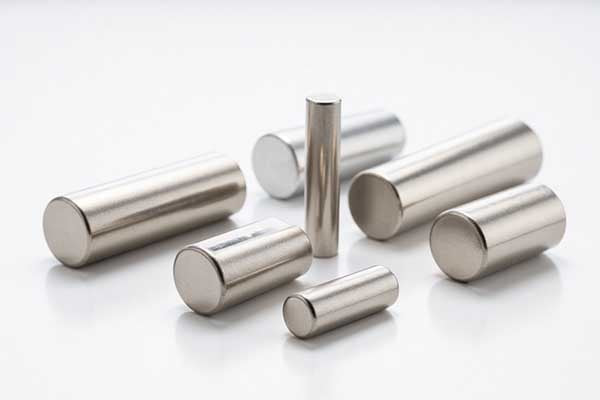
The magnets used in MagSafe rings are typically neodymium (NdFeB), known as rare earth magnets. These magnets are the strongest permanent magnets available, made from neodymium, iron, and boron. Their strength allows for a thin yet powerful ring that can hold accessories firmly without slipping.
However, the thickness of MagSafe rings can be a limitation. They are thicker than regular magnets, which sometimes makes accessories bulkier. Manufacturers like M-Magnet Company focus on optimizing the thickness and magnetic strength to balance usability and power.
MagSafe Ring Characteristics Comparison
| Feature | MagSafe Ring | Regular Magnet |
|---|---|---|
| Material | Neodymium (NdFeB) | Various (Ceramic, Ferrite) |
| Magnetic Strength | Very High (N52 Grade) | Lower |
| Thickness | 0.3mm - 3.5mm (Thicker) | Usually thinner |
| Application | MagSafe wireless charging & accessories | General magnet uses |
From a critical perspective, while MagSafe rings provide excellent alignment and hold, their thickness and cost can be drawbacks. The thicker magnet may not suit ultra-thin accessories. Also, the need for precise matching magnets in chargers and phones can complicate manufacturing and customization. However, companies like M-Magnet Company specialize in custom MagSafe ring magnets, balancing these factors to meet market demands.
How does MagSafe ring work?
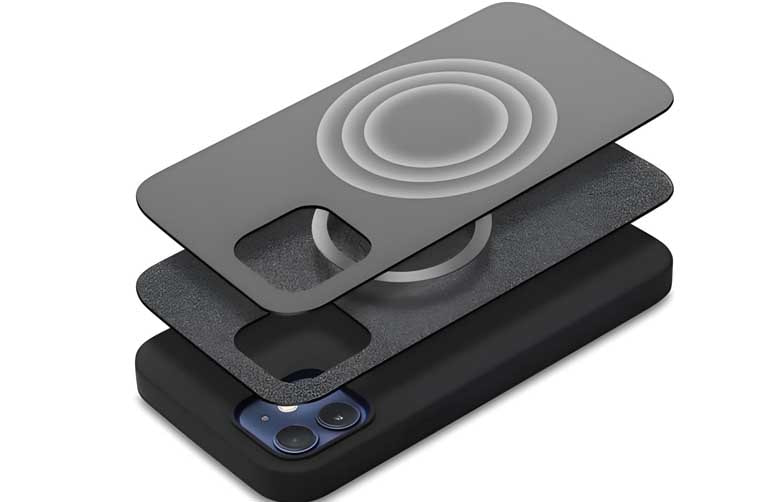
MagSafe ring can be inefficient if the phone and charger aren’t aligned properly. Understanding this technology reveals its clever engineering and widespread use. MagSafe rings work by using an array of magnets, precisely arranged, to create a strong, self-aligning connection with compatible devices and accessories, enabling efficient wireless power transfer and secure mounting.
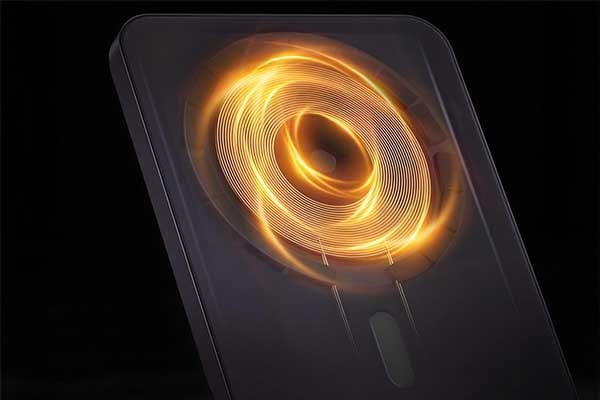
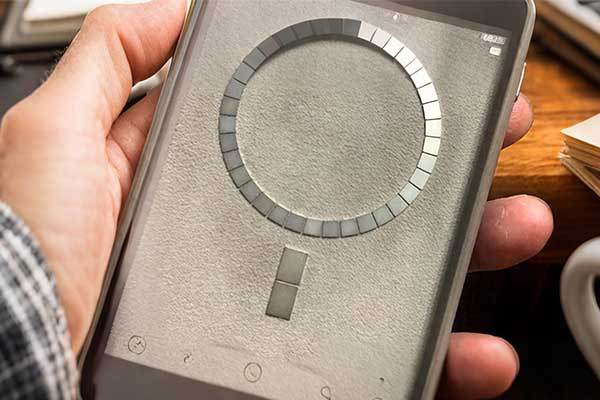
The MagSafe ring works through a circular array of precisely positioned magnets. These magnets align with corresponding magnets in a MagSafe-compatible device or accessory. This magnetic alignment ensures a secure physical connection and correct inductive coil alignment for wireless charging. The system automatically snaps into place, providing both mechanical attachment and electrical conductivity for power or data transfer in some applications.
The MagSafe system, at its core, relies on the fundamental principles of magnetism. It uses a specific arrangement of magnets. This arrangement helps in creating a reliable connection. When you bring a MagSafe-compatible accessory close to a device, the magnets within both objects attract. They also rotate. They do this until they are perfectly aligned. This perfect alignment is critical for two reasons. First, it ensures a strong physical bond. Second, it makes sure the wireless charging coils match up correctly. This precise alignment maximizes charging efficiency. It also reduces heat generation.
The Science Behind MagSafe
The magic of MagSafe lies in its carefully designed magnet array. It is not just a random collection of magnets. It is a specific pattern. This pattern includes both standard magnets and shielding. The shielding helps direct the magnetic field. It prevents interference with sensitive electronics inside the device. The magnets are typically neodymium magnets. These magnets are strong for their size. This strength is important for a firm connection. The magnetic force holds the accessories in place. This is true even with movement or light impacts.
The wireless charging aspect uses inductive charging. This technology sends power through electromagnetic fields. The MagSafe ring ensures that the transmitting coil in the charger and the receiving coil in the device are perfectly concentric. This alignment minimizes energy loss. It makes charging faster and more reliable. Without this precise magnetic guidance, users would have to manually align their devices. This would make wireless charging less convenient. The MagSafe holder ring ensures this seamless user experience.
Consider how a simple MagSafe holder ring enhances daily use. It allows for quick attachment and detachment of accessories. This is far easier than traditional clips or friction fits. The magnetic connection is also durable. It does not wear out over time like mechanical connectors can. This design makes MagSafe versatile. It works for battery packs, wallets, and car mounts. It provides a consistent connection every time. This consistent performance is a hallmark of good magnet design.
Key Components and Functions of a MagSafe Ring
| Component | Description | Function |
|---|---|---|
| Circular Magnet Array | Precisely arranged neodymium magnets in a circular pattern. | Provides strong magnetic attraction and rotational alignment. |
| Shielding | Internal metallic layers around the magnets. | Directs magnetic field and prevents interference with device electronics. |
| Wireless Charging Coil | Copper wire coil for inductive power transfer. | Enables efficient and safe wireless charging. |
| Alignment Features | Grooves or subtle protrusions on the ring. | Ensures precise orientation for accessories. |
What is the MagSafe ring for?
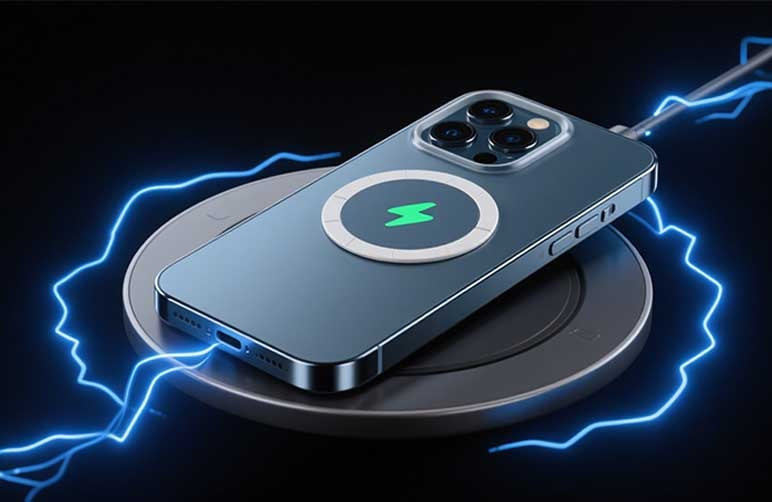
Understanding its applications highlights its versatility and convenience in daily technology use. The MagSafe ring is primarily for securely attaching accessories and enabling efficient wireless charging for compatible devices, streamlining how users interact with their mobile technology.
The MagSafe ring serves two main purposes: secure accessory attachment and optimized wireless charging. It allows users to effortlessly snap on various accessories, such as wallets, battery packs, and stands, providing a robust physical connection. Simultaneously, the magnetic alignment ensures that wireless charging coils are perfectly positioned, leading to faster and more efficient power transfer compared to traditional Qi charging without magnetic guidance.
The MagSafe ring is a versatile feature. It greatly enhances the user experience for compatible devices. Its design solves common problems associated with mobile accessories. One primary use is for secure attachment. It replaces the need for clips, adhesives, or other less reliable methods. For example, a wallet attached with MagSafe stays firmly in place. It will not easily fall off. This is important for users who are always on the go. As a MagSafe magnet factory, we see these applications daily.
Diverse Applications of the MagSafe Ring
The applications of the MagSafe ring extend beyond just wallets and chargers. It supports a wide ecosystem of accessories. Each accessory benefits from the strong and precise magnetic connection.
Enhanced Wireless Charging
This is perhaps the most significant function. Standard wireless charging requires careful placement of the device on a charging pad. If the alignment is off, charging can be slow or fail completely. The MagSafe ring eliminates this guesswork. The magnets pull the device into the perfect position every time. This means reliable and fast charging. The MagSafe design provides just that. It improves the user's daily interaction with their device.
Secure Attachment for Accessories
The MagSafe ring provides a robust way to attach many types of accessories. This includes battery packs. These packs can simply snap onto the back of a device. This provides extra power when needed. There are also car mounts. These mounts hold the phone securely. They allow for easy navigation. Other accessories include stands, grips, and even camera attachments. Each uses the magnetic connection for stability. This allows for a modular and adaptable system. A MagSafe holder ring is a core component for these accessories. It offers a strong and reliable grip. This is vital for users who depend on their devices.
Design Freedom and Innovation
The MagSafe ring has also opened up new possibilities for accessory designers. They no longer need to design around specific ports or bulky clips. Instead, they can focus on new functionalities. This leads to more innovative and sleeker designs. For example, some cases integrate the MagSafe ring. They allow for seamless use of all MagSafe accessories. This simplifies the user experience. It also encourages more companies to develop MagSafe-compatible products. We constantly explore new ways to use magnetic technology in our magnet customized solutions. The MagSafe holder ring is a great example of this innovation.
The MagSafe ring offers a combination of convenience, security, and efficiency. It simplifies how users interact with their devices. It also promotes a growing ecosystem of magnetic accessories.
Common Uses and Benefits of MagSafe Rings
| Application | Benefit | Example Accessories |
|---|---|---|
| Wireless Charging | Faster, more reliable, and perfectly aligned charging. | MagSafe Charger, MagSafe Duo Charger. |
| Secure Attachment | Strong, snap-on connection for accessories. | Wallets, battery packs, car mounts. |
| Hands-Free Use | Stable mounting for viewing or interacting with device. | Desk stands, tripod mounts. |
| Modular System | Easy swapping of different accessories. | Grips, camera lens attachments, cardholders. |
Can you put MagSafe ring inside case?
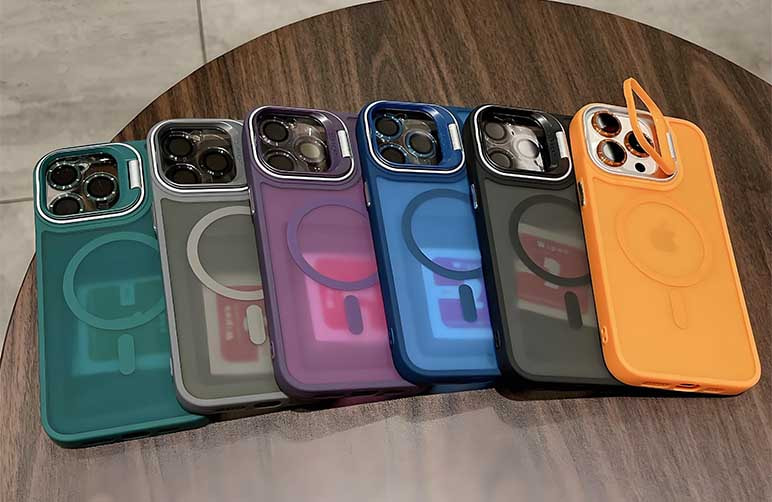
MagSafe accessories don’t always align properly. That leads users to question if the ring can go inside the case to fix it.
Yes, you can put a MagSafe ring inside the case, but it must align precisely with the phone’s charging coil and be thin enough not to interfere with magnetic strength.
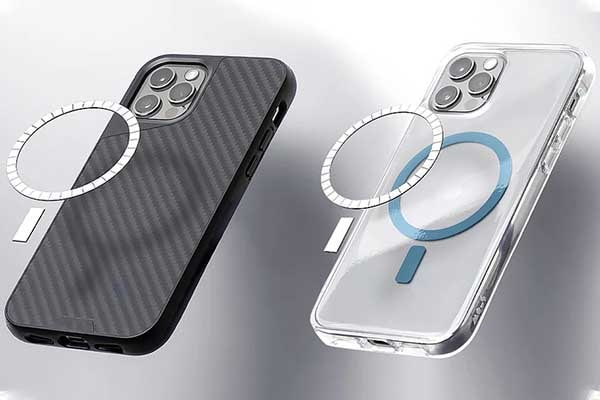
Putting a MagSafe ring inside a phone case can be a solution when the case itself is not MagSafe-compatible or when alignment issues occur. However, the result depends on a few conditions. The ring must match the coil position exactly, and the case must be thin enough to allow magnetic field penetration. If either condition fails, you risk losing charging efficiency or magnetic hold strength.
Cases made of hard plastic or soft TPU can generally support an internal MagSafe ring if designed well. But thick silicone or rugged cases may block magnetic force. Most users trying to adapt non-MagSafe cases to work with MagSafe accessories insert magnetic rings inside. Some third-party manufacturers even sell alignment guides with adhesive magnetic rings for this purpose.
For a magsafe case with ring to work correctly, internal placement must ensure no movement and no gap between phone and ring. Misalignment will cause MagSafe chargers to disconnect or heat up due to inconsistent contact. Users must also confirm the case has no metal that could interfere with wireless charging.
Requirements for Internal MagSafe Ring Installation
| Condition | Why It Matters | Result If Not Met |
|---|---|---|
| Exact coil alignment | Ensures optimal charging | Weak magnet grip, slow charging |
| Thin case material | Allows magnetic field to pass through | No connection or charging |
| Non-metal structure | Prevents wireless signal interference | Charging coil malfunctions |
A properly aligned magsafe case with ring can perform just as well as Apple-certified cases, as long as the ring’s strength and placement follow magnetic field requirements.
Can you put a MagSafe ring on any case?
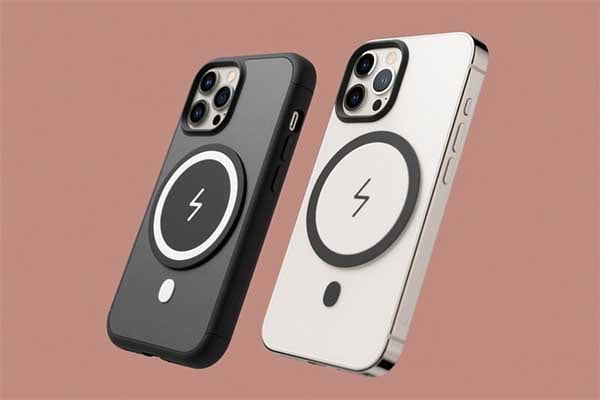
You want wireless charging convenience but wonder if your current phone case works with MagSafe technology. Case compatibility frustrates many users who face charging issues. The good news is that most cases can accommodate a M-Magnet MagSafe ring with proper installation.
Most phone cases can support a MagSafe ring attachment, but success depends on case material, thickness, and proper ring placement. Thin cases work best, while thick or textured cases may require specific magnetic ring solutions. Metal cases block magnetic fields and need external ring mounting.
Understanding Case Material Compatibility
Different case materials respond differently to magnetic ring for magsafe installations. Plastic cases offer the best compatibility because they don't interfere with magnetic fields. These cases allow magnets to work at full strength without signal loss.
Silicone cases also work well with MagSafe rings. The flexible material lets you attach rings easily and maintains strong magnetic connection. However, very thick silicone cases might reduce charging efficiency.
Leather cases present mixed results. Genuine leather cases usually work fine with magnetic rings. Synthetic leather cases may have metal threads that interfere with magnetic fields. You should test magnetic strength before permanent installation.
| Case Material | Compatibility | Magnetic Strength | Installation Ease |
|---|---|---|---|
| Plastic | Excellent | 100% | Easy |
| Silicone | Very Good | 85-95% | Easy |
| Leather | Good | 75-90% | Moderate |
| Metal | Poor | 0-30% | Difficult |
Case Thickness and Magnetic Performance
Case thickness directly affects MagSafe ring performance. Thin cases under 2mm work perfectly with standard magnetic rings. The magnetic field passes through easily and maintains strong connection strength.
Medium thickness cases between 2-4mm still work but may need stronger magnets. M-Magnet offers high-strength neodymium magnets that work well with thicker cases. These specialized magnets compensate for distance loss.
Thick cases over 4mm create significant challenges. The magnetic field weakens substantially at this distance. You might need multiple magnetic rings or external mounting solutions for thick cases.
Rugged cases with extra protection often exceed 5mm thickness. These cases prioritize protection over wireless charging compatibility. External magnetic ring mounting becomes necessary for proper MagSafe function.
Installation Methods for Different Cases
Direct adhesive mounting works best for most cases. Clean the case surface thoroughly before applying the magnetic ring for magsafe. The adhesive creates permanent attachment that won't shift during use.
Some cases have textured surfaces that prevent good adhesive contact. Sand lightly with fine-grit sandpaper to create smooth mounting surface. This technique works well for rough plastic cases.
External mounting rings solve problems with metal cases. These rings attach to the case exterior and provide magnetic connection points. They don't interfere with case protection while adding MagSafe compatibility.
Removable ring solutions offer flexibility for users with multiple cases. These magnetic rings attach temporarily and transfer between cases as needed. They work well for people who frequently change cases.
Troubleshooting Common Installation Issues
Weak magnetic connection often results from improper ring placement. The ring must align perfectly with the phone's internal MagSafe coils. Use alignment guides or templates for accurate positioning.
Ring shifting during use indicates insufficient adhesive strength. Clean both surfaces with alcohol before installation. Press firmly for 30 seconds to ensure proper bonding.
Charging interruption may occur with thick cases or weak magnets. Test charging efficiency after installation. Replace with stronger magnets if charging stops frequently.
Heat buildup can affect both charging and magnetic strength. Ensure proper ventilation around the charging area. Remove cases during extended charging sessions if overheating occurs.
The magnetic ring for magsafe market continues evolving with new case designs. Manufacturers now consider MagSafe compatibility in their product development. This trend makes finding compatible solutions easier for consumers.
Modern cases often include built-in magnetic elements or mounting points. These features eliminate the need for aftermarket magnetic rings. However, aftermarket solutions still provide better customization options.
Professional installation services have emerged for complex cases. These services ensure proper ring placement and optimal magnetic performance. They particularly help with expensive or difficult-to-replace cases.
How to take off a MagSafe ring?
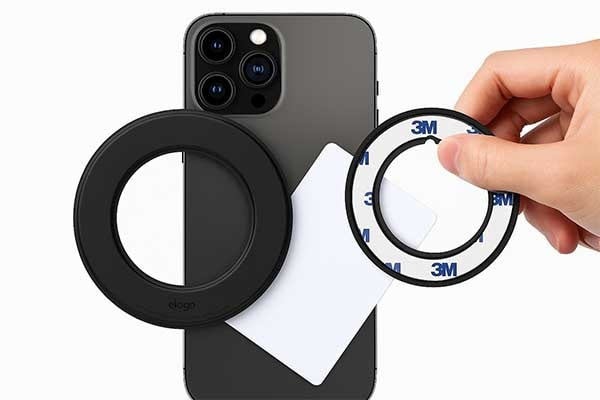
MagSafe rings are designed to stay firmly attached, making them tricky to remove without the right technique. Pulling too hard can damage the adhesive or leave residue, while improper removal might scratch your phone or case.
To remove a MagSafe ring, slowly peel it off using a thin plastic card or nail while applying steady pressure, and clean the surface with rubbing alcohol to remove any adhesive residue.
MagSafe rings are usually attached to cases or phones with strong double-sided adhesive. While they’re meant to stay in place, sometimes repositioning or replacement is needed. To do this safely, avoid sharp metal tools. A plastic card, spudger, or even fingernail can help lift one edge gently. Once the edge lifts, slowly peel the ring off while pulling at a shallow angle to reduce the chance of leaving residue.
If the ring was installed inside a magsafe case with ring structure, especially beneath TPU or silicone, removal becomes more delicate. You may need to slightly flex the case from the inside to reach the ring, depending on the design. If adhesive is too strong, apply low heat (like from a hairdryer on warm setting) for a few seconds to soften it.
After the ring is removed, wipe the surface with isopropyl alcohol to clear remaining adhesive. Avoid strong solvents that may damage plastic cases. If the ring was magnetic metal, be cautious of scratching nearby surfaces. Some users reuse the ring, but if it bends or warps, magnetic performance will drop.
At M-Magnet, we often recommend customers use our peel-friendly adhesive solutions when customizing a magsafe case with ring. These are easier to remove without leaving damage. We also provide templates for precise reapplication if needed.
Steps to Safely Remove a MagSafe Ring
| Step | Action | Tip |
|---|---|---|
| 1 | Lift edge with card or fingernail | Avoid metal tools |
| 2 | Slowly peel at low angle | Prevents ring warping |
| 3 | Clean surface with alcohol | Remove all adhesive |
| 4 | Inspect for damage | Don’t reuse bent rings |
Removing a MagSafe ring is simple if done patiently. It’s especially relevant for users with third-party magsafe case with ring setups who want to switch rings or reposition them for better charging.
Conclusion
A MagSafe ring is a powerful neodymium magnet ring designed to align and secure wireless charging accessories. It improves charging efficiency and accessory stability but is thicker than regular magnets. Understanding its design and function helps in choosing or customizing the right MagSafe accessories. As a manufacturer, M-Magnet Company offers tailored MagSafe magnet solutions to meet these precise needs.
About Blogger
Benjamin Li
Operation Manager of M-Magnet Company