How to tighten a loose phone ring holder?
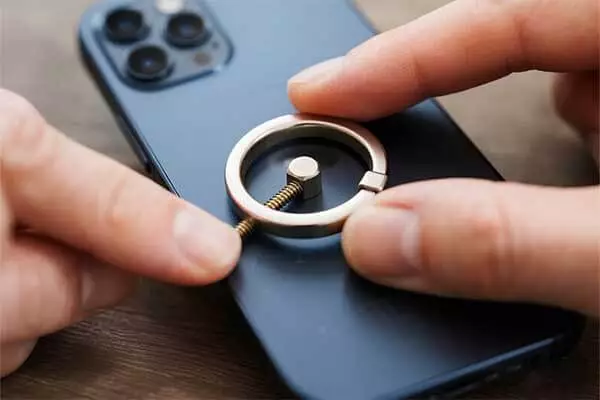
Many people worry when their magnetic phone ring becomes loose. This can make the phone less secure and harder to use.
To tighten a loose phone ring holder, check the screws or adhesive, clean the surfaces, and reattach or replace worn parts. This restores grip and ensures your phone stays safe.
If you want your phone ring to last longer, keep reading for practical solutions and deeper insights.
Table of Content
What's the point of phone ring?
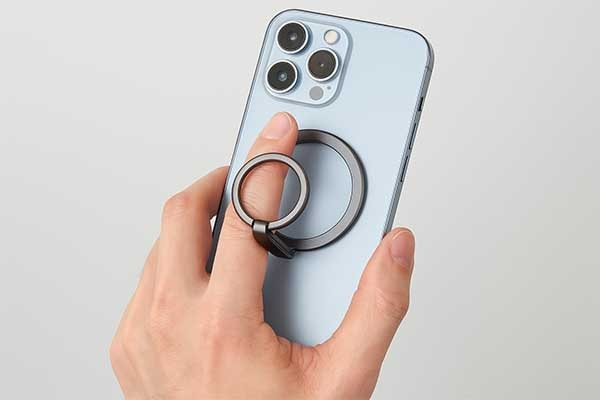
People often drop their phones because they cannot hold them securely. This problem can cause damage and stress.
A phone ring helps users grip their phones better, reducing drops and making one-handed use easier. It also acts as a stand for hands-free viewing.
A magnetic phone ring is more than a simple accessory. It combines function and style. Many people use it to prevent accidental drops. Some use it to prop up their phones for video calls or watching movies. The magnetic phone ring can also work with MagSafe accessories, making it easy to attach or detach from the phone. This flexibility is important for people who want both security and convenience.
Comparison of Phone Ring Functions
| Function | Benefit | Magnetic Phone Ring |
|---|---|---|
| Grip | Prevents drops | Yes |
| Stand | Hands-free use | Yes |
| MagSafe Compatible | Easy attachment | Yes |
A magnetic phone ring is popular because it is easy to use and fits many lifestyles. Some people like the way it looks. Others care more about how it works. The magnetic phone ring can be moved from one phone to another. This is useful for people who change phones often. The magnetic phone ring also works with many cases. This makes it a flexible choice for most users.
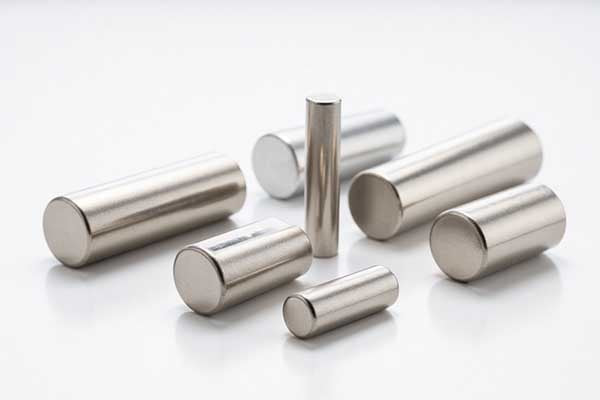
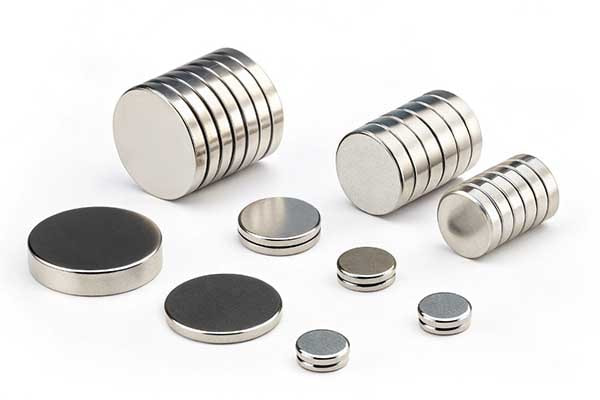
Some people worry that a phone ring will make their phone bulky. Others think it might not be strong enough. However, most magnetic phone rings are slim and strong. They use neodymium magnets, which are powerful and reliable. This means the phone ring can hold the phone securely without adding much weight.
People who use magnetic phone rings often say they feel more confident when holding their phones. They do not worry about dropping their devices. The magnetic phone ring also makes it easier to take selfies or use the phone with one hand. For people who use their phones for work, the stand function is helpful during video calls or presentations.
The magnetic phone ring is not just for safety. It is also a way to show personal style. Many companies, like M-Magnet Company, offer custom designs. This lets users choose colors and patterns that match their taste. The magnetic phone ring can be a small but important part of daily life.
How do magnetic phone rings work?
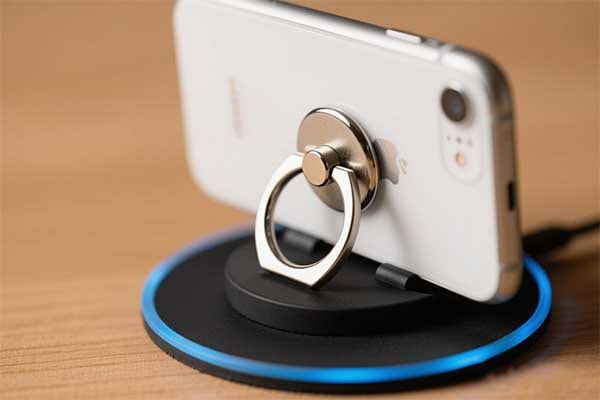
Many users worry their magnetic phone ring may not be secure or might interfere with the phone. This causes hesitation when choosing accessories.
Magnetic phone rings work by attaching a metal plate to the phone or case, which then magnetically connects to a holder base. The ring part provides a grip for fingers and can also act as a stand.
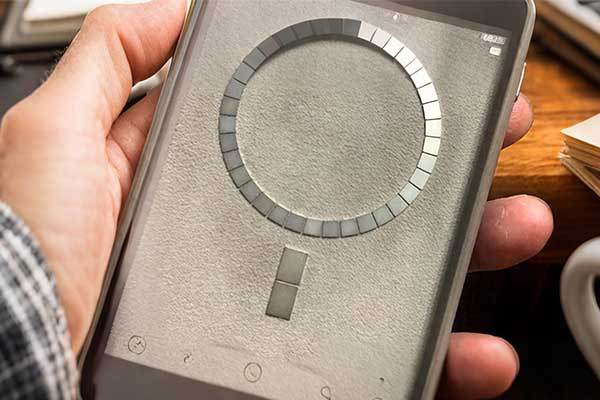
Magnetic phone rings combine a mechanical grip ring with a magnet-friendly backing. The basic structure includes a thin metal plate that adheres to the phone or case, often using strong 3M adhesive. The ring portion flips outward to allow finger insertion or vertical support. When paired with a magnetic phone holder magnet, such as those used in cars, the plate firmly attaches to the magnet through magnetic attraction, enabling stable, hands-free use.
Not all magnetic phone ring holders are equal. Some use neodymium magnets, which offer stronger holding power but may risk interference if poorly shielded. Reliable manufacturers, such as M-Magnet, offer customized magnetic phone holder magnets that are optimized for strong pull force, secure alignment, and minimal electromagnetic interference.
Common Components of Magnetic Phone Rings
| Component | Material | Function |
|---|---|---|
| Magnetic Plate | Steel or Alloy | Attracts to magnetic mount |
| Ring Loop | Aluminum or Plastic | Finger grip or stand |
| Adhesive Pad | 3M VHB or similar | Secures plate to phone |
Using a magnetic phone ring also supports compatibility with magnetic car mounts. However, the magnetic phone holder magnet’s quality must match the size and mass of the phone. If the magnet is too weak or the phone too heavy, slippage may occur. That is why proper sizing and magnetic force calibration are critical in product design. High-quality ring holders often advertise compatibility with iPhones and Androids, especially for MagSafe-enabled models, where magnets are integrated into the device structure.
Customers should verify if their ring uses a removable metal plate or if the magnet is embedded directly. Embedded magnets may increase magnetic interference risk, while removable plates offer safer design flexibility.
How to put a ring holder on phone?
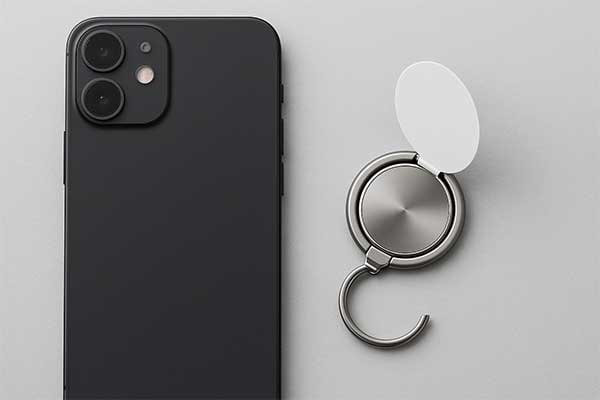
You just bought a new ring holder, but you're unsure how to place it correctly on your phone. A wrong placement can affect comfort or mounting stability.
To install a ring holder, clean the back of your phone or case, remove the adhesive cover, and press the holder firmly for 30 seconds at your preferred position. Avoid wireless charging zones.
Attaching a phone ring holder may seem simple, but exact placement plays a key role in how effective and comfortable it is. If positioned too high, your finger may not fit properly through the ring. If placed too low, the phone could tilt awkwardly during use. Most users center the ring horizontally and place it slightly above the vertical midpoint. This allows both firm grip and balance when using the ring as a stand.
It is also essential to prepare the surface properly. Oil, dust, or even moisture can reduce adhesive strength. Clean the surface with a microfiber cloth and allow it to fully dry before applying. Once positioned, hold and press the ring holder firmly for at least 30 seconds. Do not remove or reposition it for several hours to allow full adhesive bonding.
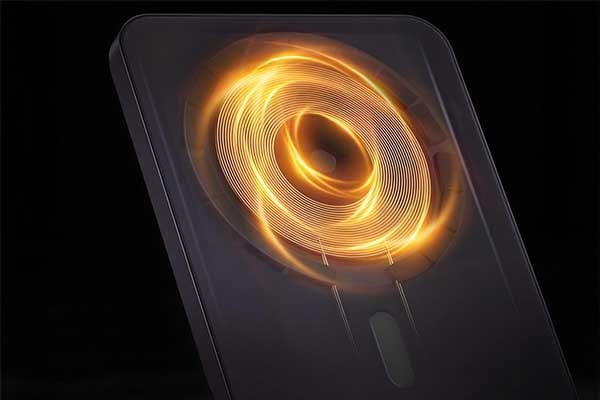
Wireless charging compatibility must be considered. Many modern phones feature coil areas in the center-back. If you stick a metal ring plate directly over that spot, it may block charging. Some magnetic phone holder magnets are compatible with MagSafe or Qi wireless charging, but standard ring holders often interfere.
Ring Holder Placement Guide
| Step | Action | Tips |
|---|---|---|
| 1 | Clean phone back with dry cloth | Remove oils and dust completely |
| 2 | Peel off adhesive film | Avoid touching sticky side |
| 3 | Align and press to desired spot | Center slightly above midline |
| 4 | Hold firmly for 30+ seconds | Apply even pressure |
| 5 | Wait at least 6 hours before use | Ensure adhesive sets |
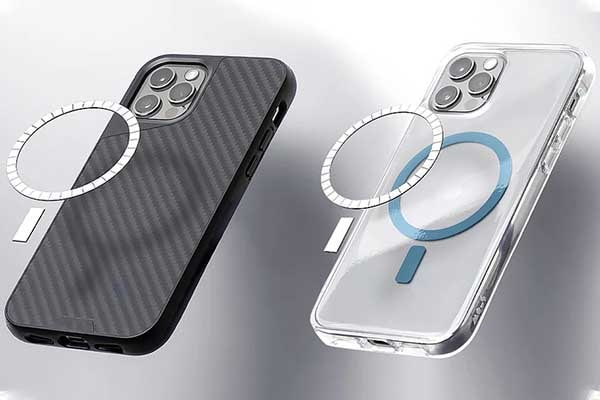
For users who also use magnetic phone holder magnets, ring placement may affect the connection area. To maintain optimal hold, ensure that the ring does not cover the magnetic contact zone, or choose a ring designed for MagSafe alignment. Some holders even include open circular centers to avoid interference with wireless charging or magnetic lock points.
Does it matter where I put my ring?
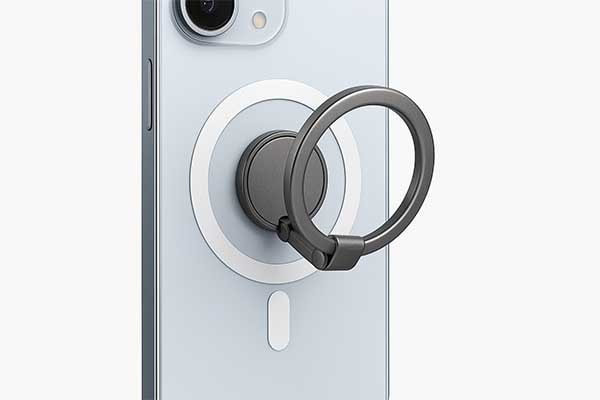
Is your phone ring holder not working as expected? Its placement on your phone can impact comfort and stability. Let’s explore how to choose the best spot.
Yes, the placement of your phone ring holder matters. It affects comfort, usability, and kickstand functionality. The best spot is usually the lower center of the phone’s back, matching your natural grip.
Choosing the right spot for your phone ring holder is key to its performance and durability. Let’s dive deeper into why placement matters and how it relates to keeping your holder secure.
Comfort is a major factor. Everyone holds their phone differently. If you use your right hand, placing the ring on the lower right side lets your finger slide through easily. Left-handed users might prefer the left side. However, a central placement often feels balanced for both hands. This spot makes it easier to hold the phone without straining your fingers.
Placement also affects the ring’s role as a kickstand. A centrally placed ring keeps the phone stable when propped up on a table. If it’s too close to the edges, the phone might tip over. For users who rely on their phone ring holder as a stand, this is critical.
Another concern is the phone’s camera. Placing the ring over the camera can block it, making photos or videos impossible without removing the holder. Positioning it toward the bottom of the phone avoids this issue.
Here’s a breakdown of common placement options:
| Placement | Pros | Cons |
|---|---|---|
| Center | Balanced, good for kickstand, works for both hands | May feel awkward for small hands |
| Lower Center | Great for one-handed use, suits small hands, stable kickstand | Slightly less balanced than center |
| Side (Left/Right) | Ideal for one-handed use, avoids camera | Less stable as kickstand, may not suit both hands |
Placement and Tightening Connection
Placement can influence how long your phone ring holder stays tight. A poorly placed ring might face more stress from twisting or pulling, causing it to loosen over time. For example, a side placement might lead to uneven pressure, loosening the adhesive or mechanical parts. To tighten a loose ring holder, try using needlenose pliers to gently squeeze the pins holding the ring, as suggested by users on Amazon. Another method is tapping the pin back into place with a hammer and nail, securing the ring first to avoid damage, as noted on Quora.
Ultimately, the best placement depends on your habits. Test different spots to find what feels right. A well-placed ring holder not only improves comfort but also reduces wear, keeping it secure for longer.
Is it safe to put a phone holder magnet on my phone?
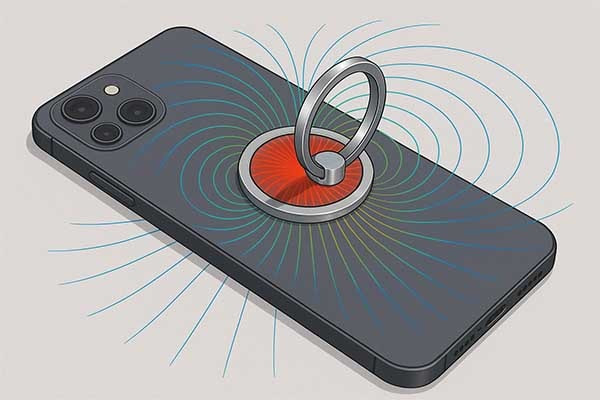
Worried about magnets harming your phone? Magnetic phone holders are popular, but their safety is often questioned. Let’s examine if they’re safe for your device.
Magnetic phone holders are generally safe for modern smartphones. Their magnets are too weak to damage screens, batteries, or memory. Avoid placing magnets directly over sensitive components like cameras or speakers.
Magnetic phone holders are convenient for secure phone mounting. But are they safe? Let’s explore this question in detail, addressing common concerns and connecting it to maintaining a secure phone ring holder.
Modern smartphones use components that are largely unaffected by magnets. Screens, whether LCD, OLED, or AMOLED, rely on transistors, not magnetic fields, unlike older CRT displays. This makes them immune to the magnets in phone holders, as confirmed by sources like PITAKA. Similarly, phone batteries and memory (storage) are not impacted by magnetic fields, ensuring no data loss or reduced battery life.
Speakers and compasses are more sensitive. Speakers use magnets in their design, but the magnetic field from a phone holder is too weak to interfere, especially since speakers are typically at the phone’s edges, away from the holder’s magnet. The compass, used for navigation apps, might experience temporary interference, but smartphones often recalibrate automatically. GPS, which relies on radio signals, remains unaffected.
Another concern is credit cards or other magnetic strips. The magnets in phone holders are not strong enough to demagnetize cards, according to Scosche. You’d need a much stronger magnet to cause issues.
Safety and Maintenance Considerations
When it comes to tightening a loose phone ring holder, magnetic holders differ from mechanical ones. A loose magnetic holder might result from a worn magnetic plate or weakened adhesive. Unlike mechanical holders, which can be tightened with pliers or a hammer and nail, magnetic holders may require replacing the magnetic plate or ensuring the adhesive is secure. Regular checks ensure the magnetic plate stays firmly attached, maintaining both safety and functionality.
Here’s a comparison of magnetic and mechanical phone ring holders:
| Holder Type | Safety Concerns | Tightening Method |
|---|---|---|
| Magnetic | Minimal; weak magnets don’t harm phones | Replace magnetic plate or adhesive |
| Mechanical | No magnetic concerns; focus on physical wear | Use pliers or hammer and nail to tighten pins |
While magnetic phone holders are safe, caution is advised with extremely strong magnets not designed for phone use. For standard holders, there’s no risk to your phone’s components. Regular maintenance, like checking the adhesive or replacing worn parts, ensures both safety and a secure hold.
How to remove a magnetic phone ring?
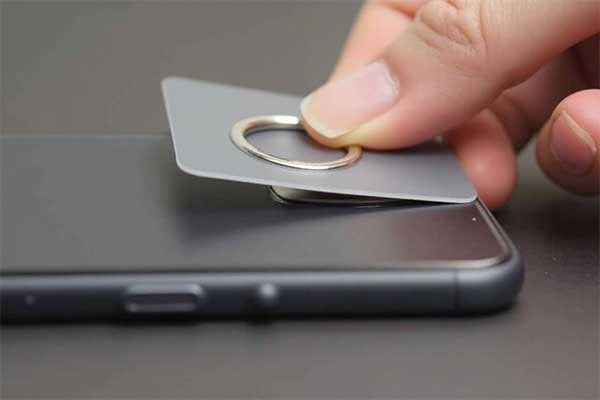
Removing a magnetic ring can hurt your phone from device. Forcing it can damage your phone or the ring. Gentle, proper techniques prevent damage and make removal easy.
To remove a magnetic ring for phone, apply steady, gentle pressure. Start by wiggling the ring from one edge. You can use a thin, flat object like a plastic card to help pry it. If the adhesive is strong, apply a small amount of heat with a hairdryer to loosen it. Always pull away from the phone carefully to avoid damage.
Removing a magnetic ring for phone needs care to avoid damaging your phone or the ring itself. Most magnetic phone rings attach with strong adhesive. This adhesive is designed to hold securely. But it also means you cannot just pull it off without effort. The process is simple, but requires patience. We often see people try to rip them off, which can scratch the phone's back or even bend the ring. This is not the correct way.
Tools for Safe Removal
Before you start, gather a few simple tools. A thin plastic card is very useful. An old credit card or a guitar pick works well. Metal tools, like screwdrivers, are not recommended. They can scratch your phone easily. A hairdryer is also helpful if the adhesive is very strong. The heat softens the glue, making it easier to separate. A microfiber cloth can be used to clean any residue after removal.
Step-by-Step Removal Process
First, apply gentle pressure around the edges of the magnetic ring for phone. Try to wiggle it slightly. This can help break the initial seal of the adhesive. Pick one edge and try to lift it just a tiny bit. Once you get a small gap, insert your plastic card into it. Slowly slide the card along the edge of the ring, working your way around. This action separates the adhesive from the phone surface bit by bit. Do not rush this step. If you feel too much resistance, stop.
This is where heat can help. Turn on a hairdryer to a low or medium setting. Hold it a few inches away from the ring. Heat the area for 15-30 seconds. The goal is to warm the adhesive, not melt your phone. Once warm, try the plastic card method again. The adhesive should be softer now. You should find it easier to lift the ring. Continue to work the card around until the ring detaches completely.
After removal, there might be some sticky residue left on your phone. You can remove this with an alcohol wipe or a small amount of rubbing alcohol on a microfiber cloth. Rub gently until the residue is gone. At M-Magnet Company, we design our magnetic solutions to be robust yet removable with care.
Tools and Tips for Phone Ring Removal
| Tool/Method | Purpose | Important Note |
|---|---|---|
| Plastic Card (e.g., old credit card) | Prying and separating adhesive | Avoid metal tools to prevent scratches. |
| Hairdryer | Loosening strong adhesive with heat | Use low/medium heat, keep moving, do not overheat phone. |
| Rubbing Alcohol/Wipe | Cleaning adhesive residue | Apply to a cloth, not directly to phone; test on small area first. |
Following these steps ensures a clean removal. This process applies to most adhesive-based phone accessories. Always prioritize gentleness over force. If you are ever unsure, it might be better to seek professional help. However, for most phone rings, this method works very well. We aim to provide clear instructions for all our magnet solutions at M-Magnet Company.
Conclusion
A loose phone ring holder can be fixed by checking and tightening its parts. The magnetic phone ring offers grip, style, and convenience. It helps prevent drops and supports hands-free use. By understanding its benefits and how to maintain it, users can enjoy a safer and more comfortable phone experience.
About Blogger
Benjamin Li
Operation Manager of M-Magnet Company
I will bring you a full range of magnet knowledge and manufacturing experience on neodymium magnets and MagSafe magnet solutions through blogs and emails. I'm not an expert yet in magnets, but we have a whole team to help you solve technical issues, design drawing details, compatibility suggestions from magnetic assemblies, magnet purchasing and many other customized magnet solutions from China. You can follow my blogs on knowledge sharing or contact me for your own magnet solutions. We will always do the best.