Can I Put MagSafe Sticker on Inside of Case or Outside Case?
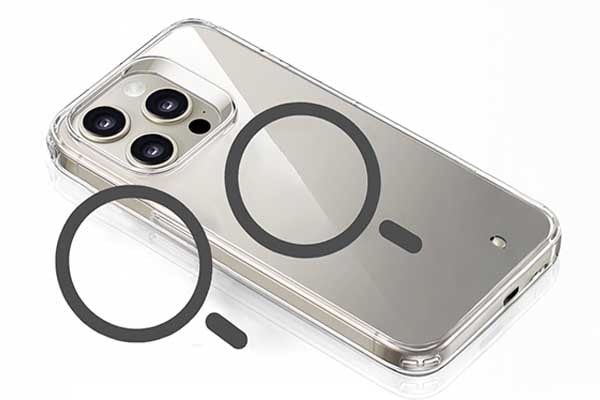
Struggling with MagSafe compatibility when using a phone case? You're not alone — many iPhone users face charging issues when their case blocks the magnetic connection. The solution lies in proper MagSafe sticker placement, which can restore full wireless charging functionality to any case.
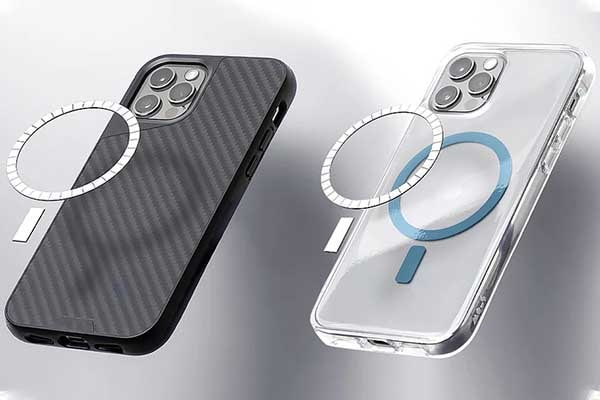
You can place MagSafe stickers on either the inside or outside of your phone case, but the inside placement typically provides better magnetic strength and charging efficiency. Inside placement keeps the sticker closer to your iPhone's built-in magnets, ensuring optimal alignment and connection. Outside placement works too but may result in slightly weaker magnetic hold and slower charging speeds.
Stay with me to explore how to use MagSafe stickers correctly for best results.
Table of Contents
What is MagSafe sticker?

Choosing wrong placement of a MagSafe sticker can cause weak magnetic grip or device damage. Understanding what this sticker is clarifies proper use.
A MagSafe sticker is a thin magnetic accessory that adds or enhances magnetic alignment and attachment for smartphones and cases supporting MagSafe technology. It improves the convenience of mounting magnets for wireless charging and accessorizing.
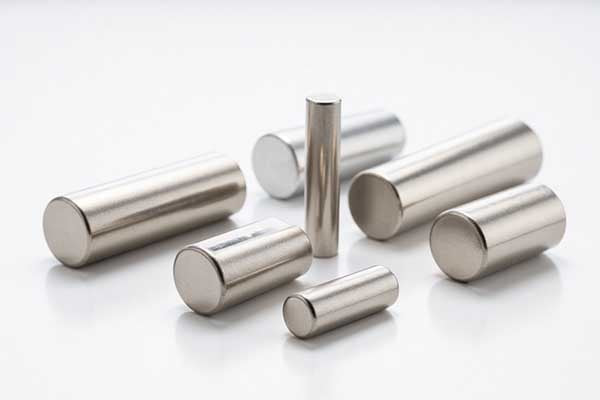
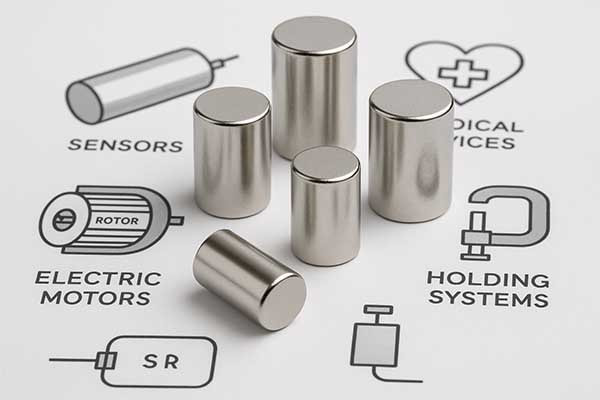
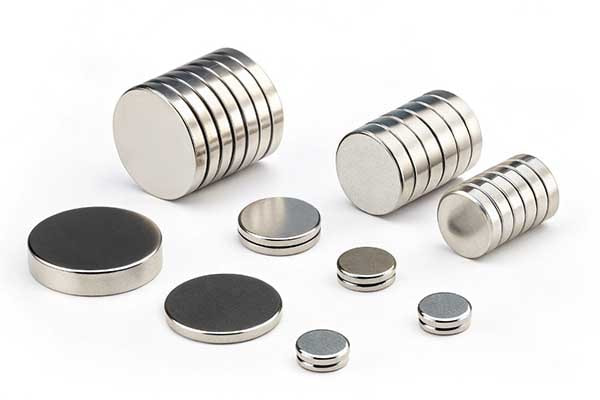
MagSafe stickers consist of small but powerful neodymium magnets embedded in a slim, adhesive form. Their design matches Apple's MagSafe magnetic ring standards to ensure strong and safe connection. These stickers can adapt non-MagSafe cases or devices by adding magnetic properties.
Using a MagSafe sticker changes the way your device interacts with mounting magnets. This sticker provides the magnetic force necessary to securely attach MagSafe-compatible chargers or accessories. Their slim profile keeps device thickness low while maintaining magnetic grip.
Features of MagSafe Stickers
| Feature | Description | Benefit |
|---|---|---|
| Magnet Type | Neodymium disc magnets | Strong magnetic force in compact form |
| Thickness | Usually under 1 mm | Minimal increase in device bulk |
| Adhesive | Strong 3M-type adhesive | Secure attachment on device or case |
| Compatibility | Works with all MagSafe accessories | Enhances mounting magnets connection |
Many users add MagSafe stickers to enhance their device’s magnetic mount capability, especially if their case lacks built-in magnets. When placed inside a case, the sticker is protected from scratches and dust but may reduce magnetic strength slightly. Outside placement gives direct contact but risks damage.
Choosing placement depends on your priorities: protection vs maximum magnetism. As a manufacturer supplying neodymium magnets, we understands that magnetic strength, adhesive quality, and sticker size all influence mounting magnet performance in commercial applications.
Magsafe stickers use compact disc magnets similar to those in MagSafe chargers. These magnets must be correctly aligned and placed for efficient wireless charging and secure mounting. Improper location or thick cases can hinder these functions.
The sticker’s adhesive must remain strong and durable under heat and daily wear to maintain permanent attachment. Cases with soft inner layers can allow sticker shifting, weakening the magnetic hold over time.
To maximize utility, users should also consider compatible mounting magnets in chargers or accessories. Matching the sticker’s magnetic strength with mounting magnets balances secure hold and easy removal.
In commercial settings, high-quality MagSafe stickers with optimal adhesive and MagSafe magnets provide lasting solutions for phone holders, stands, and charging devices. Choosing the right product from trusted manufacturers like M-Magnet ensures consistent performance for customers in the US, Europe and customers around the world.
Properly applied MagSafe stickers transform ordinary cases into versatile magnetic mounting platforms. Whether placed inside or outside the case, understanding the effects on magnetic strength and protection is critical. These factors play essential roles in product design and user experience.
What does the MagSafe sticker do?
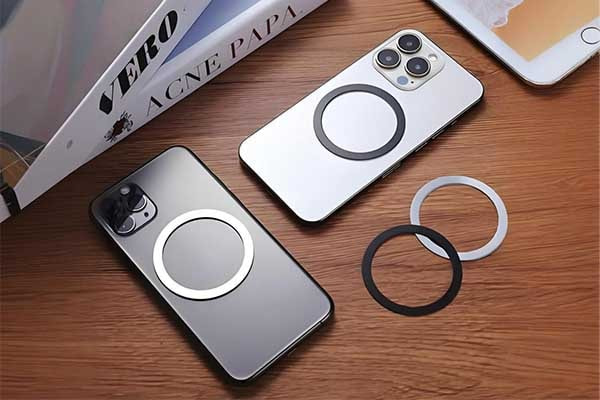
Want to use MagSafe accessories but lack the feature? Is your phone case not MagSafe compatible? A MagSafe sticker is your solution. It brings magnetic convenience to almost any device or case.
A MagSafe sticker adds magnetic compatibility to non-MagSafe devices or cases. It contains an array of magnets that align with MagSafe chargers and accessories. This allows for secure attachment and efficient wireless charging. It also ensures proper alignment for optimal power transfer and accessory function, enhancing user convenience.
A MagSafe sticker acts as an adapter. It transforms a standard phone case or device into one that can interact with MagSafe accessories.
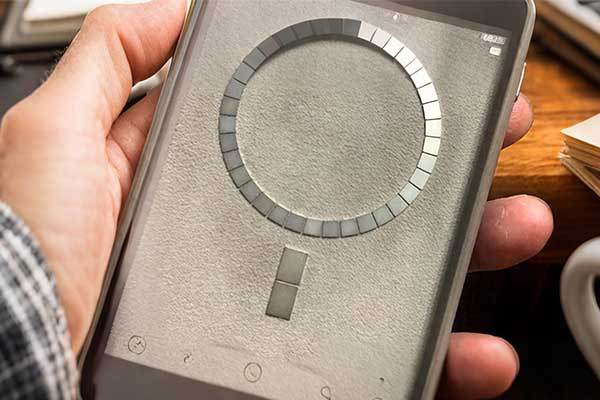
MagSafe technology, originally from Apple, uses an array of magnets. These magnets are precisely arranged in a circle. They allow accessories like chargers, wallets, and stands to snap on securely. When you place a MagSafe sticker, you are essentially adding this magnetic array to your existing setup.
The sticker itself typically contains multiple small, strong magnets. These magnets are usually neodymium-based for optimal performance. They are carefully spaced to match the MagSafe design.
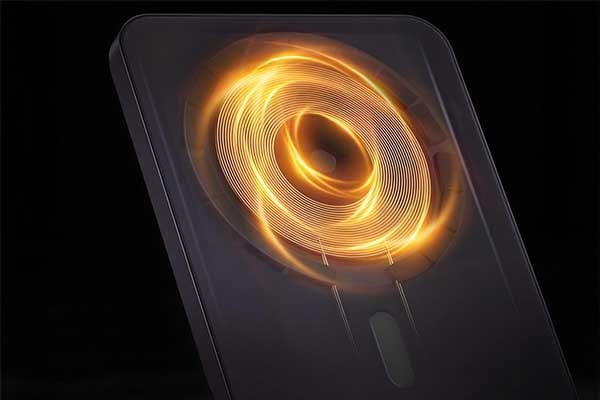
The primary function of a MagSafe sticker is to ensure alignment. Wireless charging works best when the charging coils in the device and the charger are perfectly aligned. Misalignment leads to slower charging or no charging at all.
The magnetic force of a MagSafe sticker pulls the device into the correct position. This makes charging efficient and reliable. It also prevents accessories from accidental detachment. For example, a MagSafe wallet will securely hold onto your phone, reducing the risk of it falling off. This added convenience and security are key benefits.
Moreover, a MagSafe sticker allows for the use of a wider range of MagSafe accessories. Without the sticker, non-MagSafe cases often cannot hold these accessories securely. This limits the user's options.
With a quality MagSafe sticker, you can enjoy the full ecosystem of MagSafe products. This includes car mounts, desk stands, and portable chargers.
As a MagSafe magnet factory, we understand the precise requirements for these magnetic arrays. We design our MagSafe magnet sticker products to meet these exact specifications, ensuring strong and reliable connections for end-users in America and Europe.
Core Functions of a MagSafe Sticker
| Function | Benefit | Example Use |
|---|---|---|
| Magnetic Alignment | Ensures optimal wireless charging speed. | Fast charging with MagSafe charger. |
| Accessory Attachment | Securely holds MagSafe accessories. | Attaching MagSafe wallet or battery pack. |
| Enhanced Grip | Prevents accidental detachment of phone. | Using a MagSafe car mount. |
The effectiveness of a MagSafe sticker also depends on its thickness and the strength of the magnets within. A thicker sticker might slightly increase the overall profile of your phone case.
However, it can also provide a stronger magnetic connection. The adhesive on the sticker is important too. It must be strong enough to keep the sticker firmly attached to the case, even with repeated use of MagSafe accessories.
We at M-Magnet Company specialize in magnet customized solutions, including precise magnetic rings for MagSafe applications. We ensure that our MagSafe magnet sticker products are thin, yet powerful, providing a seamless user experience. This allows a wide range of devices to become MagSafe compatible, broadening their utility.
How to stick a MagSafe sticker?
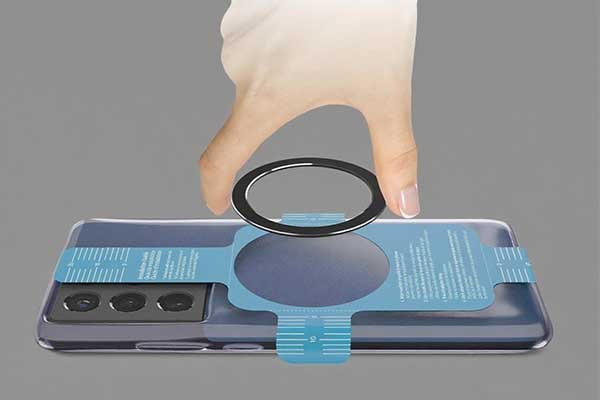
Ready to add MagSafe to your phone or case? Proper placement of your MagSafe sticker is key. Incorrect application can lead to weak connections. Learn the simple steps for perfect alignment and strong magnetic hold.
To stick a MagSafe sticker correctly, first clean the surface thoroughly. Then, align the sticker precisely with your phone's wireless charging coil, usually centered. Remove the adhesive backing and press the sticker firmly. For optimal adhesion, let it cure for a few hours. This ensures a strong magnetic connection for MagSafe accessories and charging.
Sticking a MagSafe sticker might seem simple. However, correct placement is very important for its function. The first step is to clean the surface. Any dust, oil, or debris on your phone case can prevent the adhesive from sticking properly. Use an alcohol wipe or a clean, lint-free cloth to clean the area where the sticker will go. Let it dry completely. A clean surface ensures maximum adhesion. This directly impacts how well the MagSafe magnet sticker stays on and how strong the magnetic connection will be.
Next, alignment is crucial. Most smartphones have a wireless charging coil located in the center of the back. The MagSafe sticker needs to be centered over this coil. Many MagSafe stickers come with an alignment guide or template. If not, you can often find templates online. Some users place their phone on a MagSafe charger without the sticker first. Then, they mark where the charger naturally "grabs" the phone. This helps in finding the exact center. Proper alignment ensures that the magnetic ring on the sticker perfectly matches the magnetic ring on MagSafe accessories. If it is off-center, the magnetic pull will be weaker. This can cause accessories to fall off easily or lead to inefficient charging.
Once aligned, apply the sticker firmly. Peel off the protective backing from the adhesive side of the MagSafe sticker. Carefully place it onto the cleaned and aligned spot on your case or device. Press down firmly for at least 30 seconds to a minute. Apply even pressure across the entire surface of the sticker. This helps the adhesive bond securely. After applying, it is often recommended to let the adhesive cure. This means allowing it to set fully, usually for a few hours, or even 24 hours. During this curing time, avoid attaching heavy MagSafe accessories or continuously removing/attaching items. This gives the adhesive enough time to form a strong, lasting bond.
For our MagSafe magnet sticker products at M-Magnet Company, we use strong, reliable adhesives to ensure durability.
Best Practices for MagSafe Sticker Application
| Step | Description | Importance |
|---|---|---|
| Surface Preparation | Clean case with alcohol wipe. | Ensures optimal adhesive bond. |
| Accurate Alignment | Use template or center over charging coil. | Maximizes magnetic strength and charging efficiency. |
| Firm Pressure | Press down evenly for 30-60 seconds. | Activates adhesive for strong initial grip. |
| Curing Time | Allow 2-24 hours before heavy use. | Achieves full adhesive strength. |
The material of your phone case also matters. MagSafe stickers generally work best on smooth, hard plastic or silicone cases. Textured cases or cases made from fabric or leather might not provide an ideal surface for the adhesive. For such cases, it might be better to consider a case that has MagSafe built-in.
Also, consider the thickness of your case. Very thick cases can weaken the magnetic connection, even with a MagSafe magnet sticker. A good quality sticker, combined with a reasonably thin case, will offer the best performance.
As a neodymium magnet manufacturer, we understand magnetic field strength. We ensure our products offer the necessary magnetic force to work through common case thicknesses. This helps users get the most from their MagSafe experience.
Can I put MagSafe sticker on my Android phone?
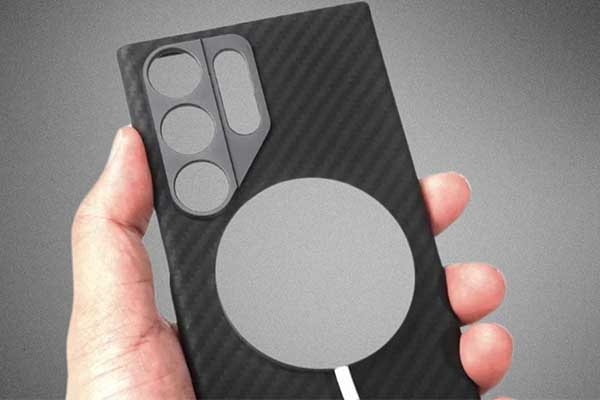
Many Android users want MagSafe benefits but worry if stickers will work well on their phones.
Yes, you can put a MagSafe sticker on your Android phone to enable magnetic attachment for accessories. While Android phones don't come with built-in MagSafe magnets, adding a sticker with strong neodymium disc magnets creates compatibility with MagSafe chargers, mounts, and wallets. This is a popular solution for Android users to enjoy MagSafe functionality.
Understanding how to use a magsafe sticker for android devices is key to unlocking magnetic accessory convenience.
Adding a MagSafe sticker enhances your Android phone’s ability to connect with mounting magnets and MagSafe accessories. Many magnetic ring kits or stickers are available that offer secure adhesion and magnetic strength. The sticker fits on the back of the phone or case and works by mimicking Apple’s MagSafe magnet array.
Key Features of MagSafe Stickers for Android Phones
| Feature | Description | Benefit |
|---|---|---|
| Magnet Type | Neodymium disc magnets | Strong magnetic hold for mounting magnets |
| Adhesive | 3M strong adhesive backing | Secure attachment on phone or case |
| Thickness | Thin, less than 1 mm | Minimal added bulk to device |
Dive deeper into magsafe sticker for android solutions. These stickers allow owners of devices lacking Apple's magnetic array to use mounting magnets effectively. Key considerations include alignment accuracy, adhesive durability, and material quality.
Many Android devices support Qi wireless charging, forming the basis of MagSafe technology. Adding a magsafe sticker bridges the gap, providing magnetic alignment for wireless chargers and mounts that rely on magnetic locking mechanisms.
At M-Magnet, we recognize the growing demand for these accessories. Our custom neodymium disc magnets and high-adhesion coatings ensure that MagSafe stickers perform reliably in commercial applications. Ensuring compatibility with mounting magnets matters for manufacturers and consumers alike.
While installing a MagSafe sticker, users must ensure precise placement to align with mounting magnets perfectly. Incorrect placement lowers magnetic holding force and can cause accessory detachment. Using a slim case with limited thickness improves magnetic connection.
Besides charging, magsafe sticker for android enables effortless use of wallets, ring holders, and car mounts designed originally for iPhones. This convenience enhances user experience significantly.
Can you remove MagSafe sticker from case?
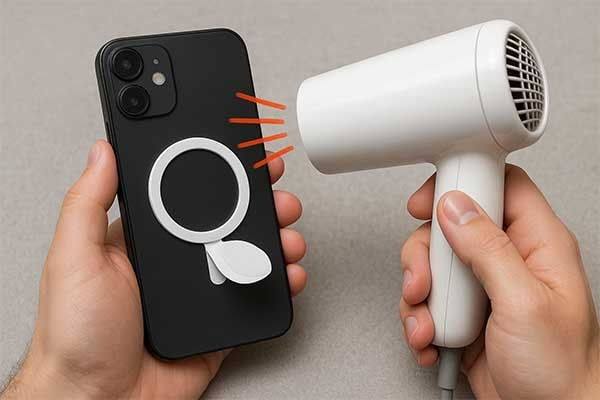
Removing the sticker sounds simple. But sometimes, it leaves marks or damage.
Yes, you can remove MagSafe stickers from phone cases without causing damage. Heat application softens the adhesive, making removal easier. Use a hair dryer on low heat for 30-60 seconds, then peel slowly from one corner. Most quality cases will not show any permanent marks after proper removal.
Understanding MagSafe Sticker Construction and Adhesive Properties
The removal process depends heavily on the type of magsafe sticker for case you're dealing with. Different manufacturers use various adhesive formulations. Some use permanent adhesives that bond strongly to surfaces. Others choose removable adhesives for easier repositioning.
Most modern MagSafe stickers feature acrylic-based adhesives. These adhesives respond well to heat application. The molecular structure changes when heated. This makes the bond weaker and easier to break.
Case material plays a crucial role in removal success. Silicone cases handle heat better than plastic ones. TPU cases fall somewhere in between. Leather cases require extra care due to their porous surface.
To remove the sticker:
Start from one edge and slowly peel upward.
For better results, use a hairdryer on low heat for 10–15 seconds. This softens the glue.
If residue remains, wipe it off with isopropyl alcohol or a plastic-safe sticker remover.
We've tested removal on dozens of case types at M-Magnet Company. Success rates vary based on several factors. Sticker age affects difficulty levels significantly. Older stickers often leave more residue behind.
Best Practices for Removing MagSafe Sticker
| Material | Removal Method | Tips |
|---|---|---|
| Plastic Case | Peel slowly + alcohol | Minimal damage |
| Silicone Case | Low heat + soft peel | Avoid stretching |
| Leather Case | Peel + citrus cleaner | Test small area first |
Temperature control makes the biggest difference in successful removal. Too much heat can warp plastic cases. Too little heat leaves the adhesive too strong. The sweet spot lies between 120-140°F for most cases.
Environmental factors also matter. Humidity affects adhesive properties. Cold weather makes stickers more brittle. Room temperature removal works best in most situations.
Time investment varies based on sticker condition. Fresh stickers come off in minutes. Old, degraded stickers might take 30 minutes or more. Patience prevents damage during this process.
Can You Buy a MagSafe Sticker?
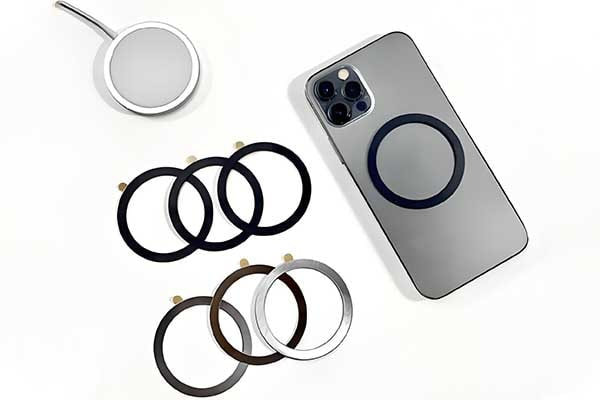
Finding the right MagSafe sticker can be tricky for enhancing phone case compatibility. Choosing a reliable option ensures secure attachment. Explore where to buy the best MagSafe sticker for your needs.
Yes, you can buy MagSafe stickers from retailers, online stores, or manufacturers like M-Magnet Company. These stickers add MagSafe functionality to non-MagSafe cases, available in various sizes and strengths for inside or outside case placement.
Understanding MagSafe Sticker Availability
MagSafe stickers are popular accessories for adding magnetic functionality to phone cases. They allow non-MagSafe cases to work with MagSafe chargers, wallets, or mounts. We produce high-quality neodymium-based MagSafe stickers tailored for seamless integration. Knowing where to buy them and how to choose the best MagSafe sticker is key to a successful setup.
Retail and Online Availability
MagSafe stickers are widely available. Major retailers like Amazon, eBay, and electronics stores stock them. Specialty manufacturers offer premium options with strong neodymium magnets. Online platforms provide a range of choices, from budget-friendly stickers to high-strength versions for specific devices. Always check compatibility with your phone model and case type before purchasing. Some stickers are designed for specific brands, while others are universal.
Quality Considerations
Not all MagSafe stickers are equal. The best MagSafe sticker uses neodymium magnets for strong adhesion. Cheaper options may use weaker magnets, leading to poor performance with chargers or accessories. Check the magnet’s pull strength, usually measured in pounds or kilograms, to ensure it meets your needs. For example, a sticker for a MagSafe wallet needs stronger magnets than one for light accessories. Also, look for stickers with durable adhesive backing to prevent peeling, especially if placed outside the case.
Inside vs. Outside Placement
MagSafe stickers can be placed inside or outside a phone case, depending on the case material and design. Inside placement hides the sticker for a cleaner look but may weaken the magnetic connection if the case is thick. Outside placement ensures a stronger hold but may affect aesthetics. The choice depends on your priorities — appearance or performance.
Risks of Low-Quality Stickers
Buying from unverified sources can lead to issues. Low-quality stickers may have weak magnets, causing accessories to slip or chargers to misalign. Poor adhesive can also result in stickers detaching, damaging the case or phone. Always choose reputable sellers or manufacturers. Customer reviews and product specifications help verify quality.
Practical Tips for Purchasing
Before buying, measure your case’s thickness to ensure the sticker’s magnets can work through it. For inside placement, choose a thin sticker to avoid adding bulk. For outside placement, prioritize weather-resistant adhesives if the phone is exposed to moisture. Compare prices, but don’t sacrifice quality for cost. A slightly more expensive sticker from a trusted source often outperforms a cheap alternative. Also, check if the sticker includes alignment guides for easy installation.
The table below compares key factors for buying MagSafe stickers.
| Factor | Retail Stores | Online Platforms | Manufacturers |
|---|---|---|---|
| Availability | Limited selection | Wide variety | Specialized options |
| Quality Control | Varies by brand | Check reviews | High, consistent |
| Customization | Rare | Limited | Available |
| Price Range | Moderate | Low to High | Moderate to High |
Additional Considerations
When buying a MagSafe sticker, consider the installation process. Some stickers require precise alignment to work with MagSafe chargers. Look for products with alignment templates or guides. Also, think about the case material. Thin plastic or silicone cases work better with inside placement, while leather or thick cases may need outside placement for optimal performance. Safety is another concern—neodymium magnets can interfere with electronics if mishandled. Store them away from credit cards or medical devices. I’ve found that testing the sticker with your charger before permanent installation prevents alignment issues. By choosing the best MagSafe sticker and understanding your case’s requirements, you ensure a reliable and effective setup.
Conclusion
For optimal performance, M-Magnet Company recommends placing MagSafe stickers inside thin cases (<3mm) to prevent peeling while maintaining strong magnetic alignment. Always test compatibility with your specific case model.